
Custom Statuses
You can customize the status columns on your board to better fit your process. Statuses are set for your entire workspace, so every project uses the same columns. The default statuses are 'To do', 'In Progress', 'In Review', and 'Done'.
Open the Board settings
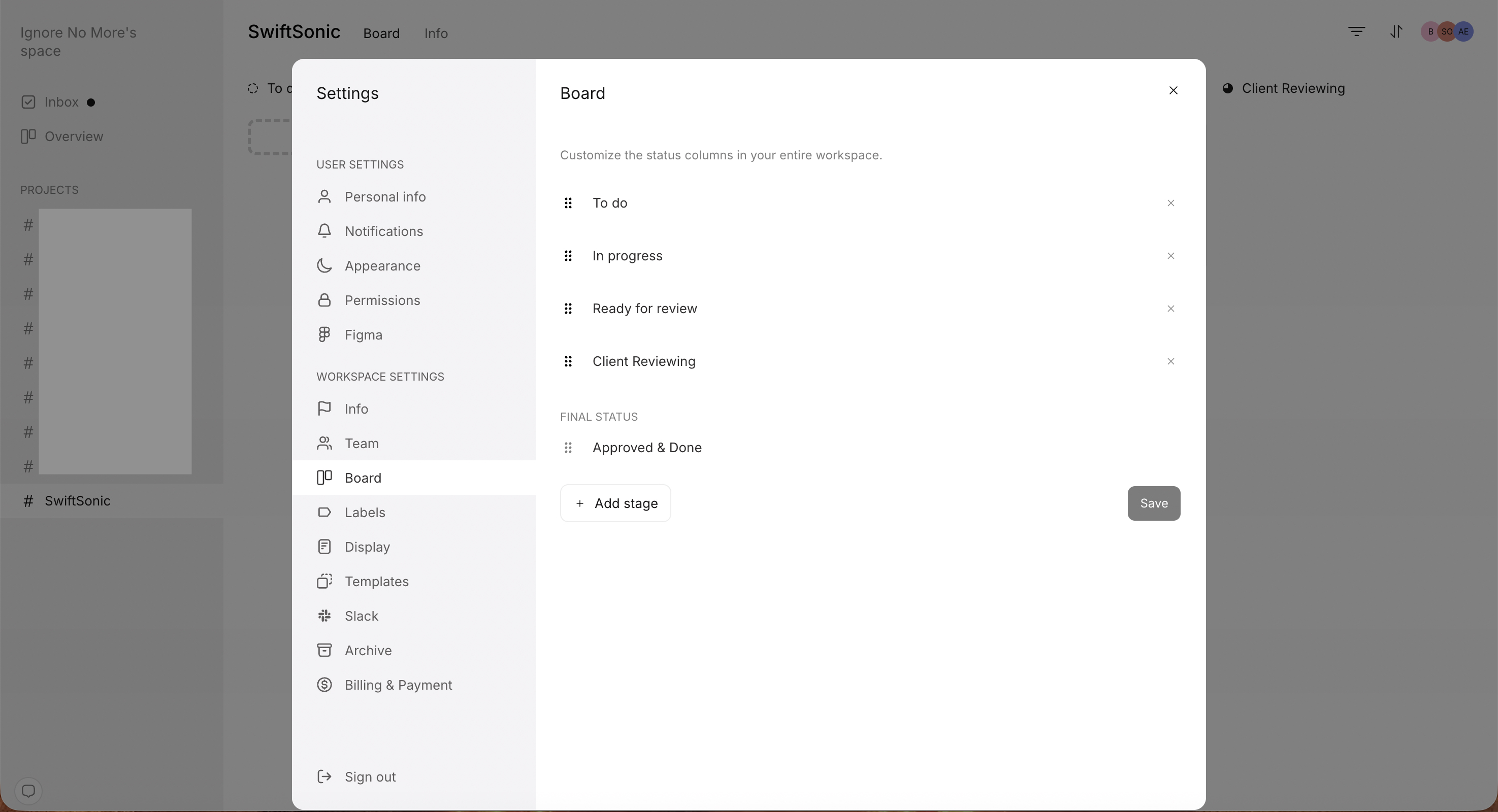
You add, rename, reorder, and remove statuses in one place: Settings, under Workspace Settings, then Board.
Open Settings from your workspace sidebar.
Under Workspace Settings, select Board. This is where you customize the status columns in your entire workspace.
Add a status
Add a stage for each step of your process, then drag it into the right position.
In the Board settings, click + Add stage.
Enter your new status's name, for example Client Reviewing.
Drag the new stage into the order you want.
Click Save.
Rename, reorder, or remove a status
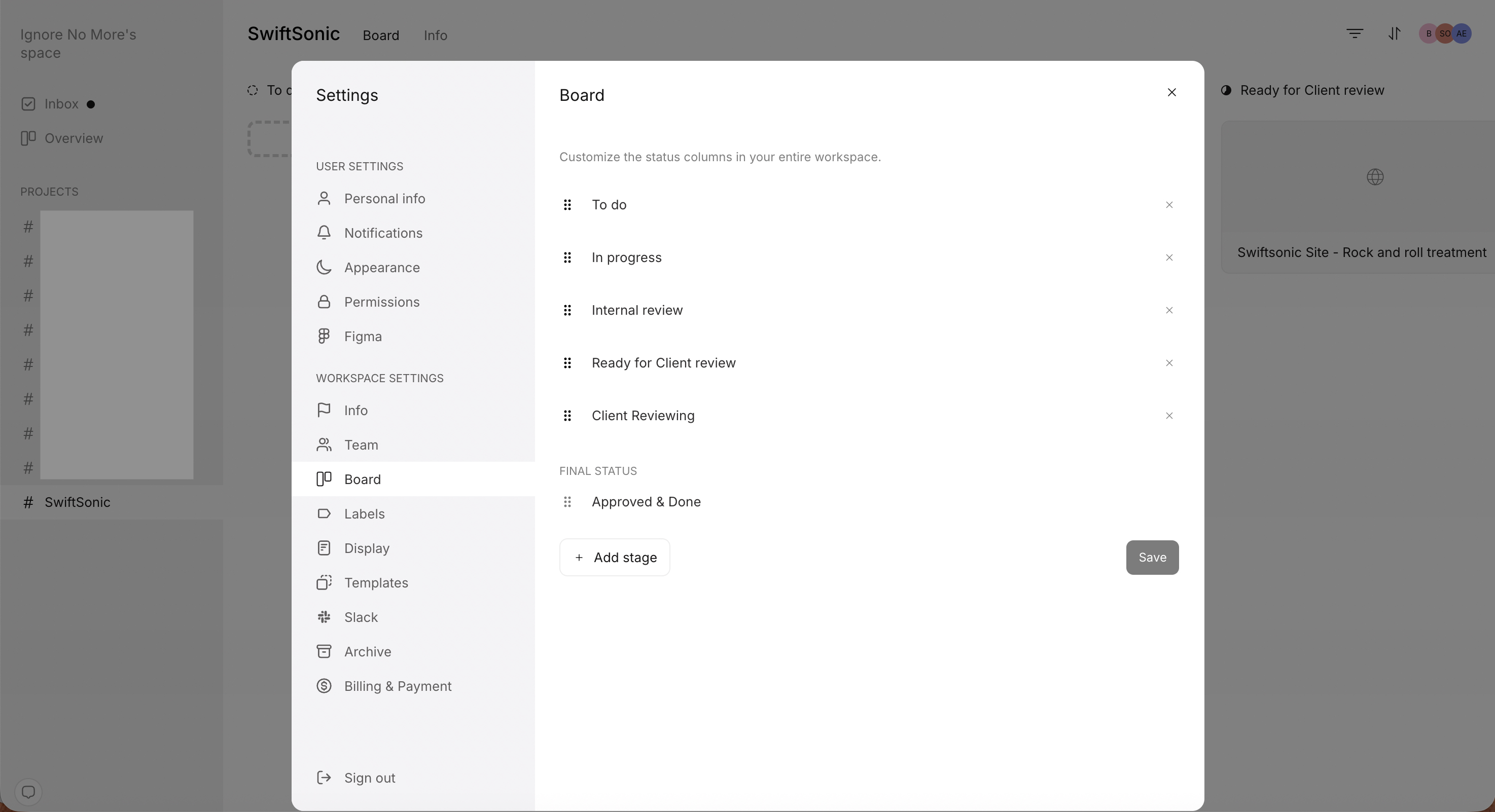
All three edits happen in the same Board settings panel, and nothing changes until you save.
Click a stage name to rename it.
Drag and drop stages to rearrange their order.
Click the × icon on a stage to remove it.
Click Save.
The final status
Your board ends with a final status, shown separately under FINAL STATUS, such as Approved & Done. It marks the point where a task is complete.
Standardise your flow
Many task management tools let you change the columns in each project, but we've seen this quickly lead to messy workflows. In Workflow, every project in your workspace uses the same columns. This lets you start and run projects quickly, giving you maximum time to focus on doing real creative work. We appreciate this may be a shift from how you've worked in the past, but we've seen time and again that the discipline of organising your work into a standardised flow will soon pay off.